Ready to Press DTF Transfers for Fast, Clean Pressing
Vibrant, Durable & 100% Satisfaction

Find the collection you're looking for
Explore 15,000+ Exclusive Legend DTF Transfers


DTF PRODUCTION FACILITY
Quick clarity: You’re buying pre-printed DTF transfers (not finished apparel). You choose the designs, then press them onto the items you already have or plan to sell.
What “ready to press” means here
“Ready to press” means your artwork arrives as a DTF transfer you can apply right away—no design software, no printer setup, and no guessing through complicated steps. Pick a design, choose the size you need, and press it when you’re ready. If you’re running drops for multiple niches, this page is the fastest way to jump into a category, grab a few best sellers, and keep production moving.
Some customers shop this hub like a menu: seasonal launch first, sports launch next, then a few “always-on” designs to keep the store active between peak dates. If you do the same, build a small rotation of repeat winners, then add fresh designs weekly so your listings never look stale.
If you only need one placement or a very specific dimension, order Custom DTF Transfers by Size. If you’re batching multiple designs for a single job, build layouts with the DTF Gang Sheet Builder or Upload Your Gang Sheet and keep your press schedule predictable.
Shop by category first (it saves time)
The navigation on this page is built like a shortcut menu: pick the theme you’re producing today, then shop within a tighter set of designs. That’s the easiest way to avoid scrolling through everything when you already know the vibe you need—seasonal, sports, school, awareness, or everyday trending.
Seasonal collections that sell on a deadline
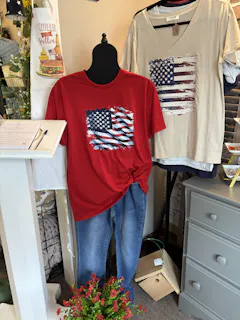
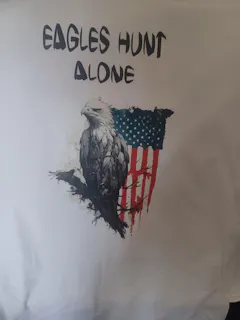
For quick seasonal runs, start with Easter DTF Transfers for spring events and family sets, or Valentines Day DTF Transfers for gift-ready designs. When you need bright, identity-forward options for parades, festivals, and community events, jump to Flag DTF Transfers. For lucky and green-themed drops, shop St. Patrick’s Day DTF Transfers. And if you’re planning awareness-driven launches, browse the Black Lives Matter / Black History Month DTF Transfers collection for message-based designs.
Sports collections for game day production
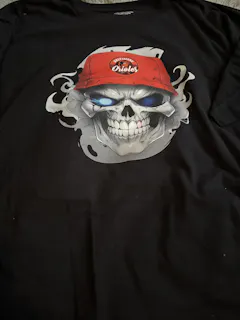
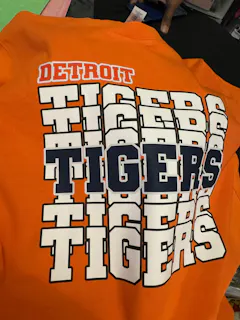
If your calendar follows the season schedule, these three hubs cover the majority of sports demand: NFL DTF Transfers, MLB DTF Transfers, and NBA DTF Transfers. Each hub is set up so you can pick a team, then choose from multiple styles—logo-forward, text-heavy, vintage-inspired, or bold statement art—without rebuilding your workflow.
Trendy and special collections for everyday sellers
When you’re not working around a holiday or a sports date, the “Trendy” and “Special” categories are where your daily sellers usually live. These sections are designed for fast browsing: you’ll see a consistent style range (clean typography, playful graphics, and high-contrast designs) so you can build cohesive drops across different niches.
A simple approach that works for most shops: pick one niche, choose 10 designs, list them, then double down on the styles that convert. Ready-to-press transfers make that test cycle faster because you can restock proven designs without restarting a print workflow.
Explore collections by purpose
If you’re deciding what to make next, think about who your customer is and where they’ll wear the finished item. Then choose a collection that matches that moment. The links below are examples of high-intent paths; you can also use the on-page category navigation to browse similar themes.
Holiday and seasonal moments
Holiday buyers usually want something quick: a fun line, a cute character style, or a simple statement design that photographs well. Seasonal collections like Easter DTF Transfers and Valentines Day DTF Transfers are built for that “last minute but still looks planned” vibe. These are great for family sets, classroom themes, church/community gatherings, and spring photo weekends.
School, clubs, and event groups
Group orders tend to need consistency: the same style across multiple sizes, clear lettering, and easy placement. If you’re batching names or multiple graphics for an event, the DTF Gang Sheet Builder makes it easier to keep layouts organized. For a file you already prepared, use Upload Your Gang Sheet and keep production moving without reformatting.
Awareness and community themes
Message-based designs work best when the typography is clear and the intent is respectful. For awareness moments and heritage celebrations, browse the Black Lives Matter / Black History Month DTF Transfers collection. If you’re producing for a community group, order early and keep a few extra transfers on hand for last-minute additions.
Sports teams and watch parties
Sports production often comes in waves. Use NFL DTF Transfers, MLB DTF Transfers, and NBA DTF Transfers to plan a “core + fresh” approach: core logos and wordmarks that always sell, plus a few trend-style graphics to keep your listings new.
Travel, culture, and country pride
For international day events, travel groups, and festivals, country flags are a fast win. Start with Flag DTF Transfers and mix a few popular options with region-specific picks. These designs are especially useful for community gatherings and group orders where the theme is identity, origin, or a destination trip.
Everyday fun and “good vibes” drops
Not every product needs a calendar moment. Everyday designs—simple statements, playful graphics, clean typographic options—help you maintain steady sales between peaks. Use the “Trendy” category navigation to find styles that match your audience, then rotate designs weekly so repeat customers see something new.
What can you apply DTF transfers to?
DTF transfers are made for fabric blanks. Most sellers use them on cotton, polyester, and common blends. For best results, press onto clean, dry fabric with a flat pressing area. Popular blanks include tees, hoodies, sweatshirts, joggers, tote bags, aprons, and other fabric items with a smooth surface.
A helpful rule: avoid seams, zippers, thick pockets, or heavy textures directly under the design area. If you’re placing designs on curved or hard-to-press items, run a small test first. For placement planning and sizing confidence, use Custom DTF Transfers by Size or batch your layouts with the DTF Gang Sheet Builder.
Need batching, exact sizing, or custom placement?
If you’re filling customer orders, the biggest time sink is usually layout and sizing—not pressing. That’s why this hub links directly to tools that solve those problems. Use the DTF Gang Sheet Builder for multi-design sheets, Upload Your Gang Sheet for pre-built files, and Custom DTF Transfers by Size when you want an exact measurement for a specific placement.
Many shops keep a standard “menu” of sizes for common placements (adult front, left chest, youth front), then use custom-by-size only when a job needs precision. That hybrid approach keeps production fast while still giving you control for special requests.
Pressing tips that reduce remakes
Clean results come from consistency: pre-press your blank to remove moisture and wrinkles, align the transfer carefully, and apply steady pressure for the time and temperature recommended in the site resources. For step-by-step guidance, use Pressing Instructions and the device guides: Heat Press, Cricut EasyPress, and Home Iron. If sizing is your pain point, the DTF Transfer Size Chart helps you choose confidently before you press.
If you’re producing for customers, build a repeatable checklist: (1) confirm size and placement, (2) keep your press area lint-free, (3) let garments cool when required, and (4) avoid stretching the fabric while the adhesive is still setting. Small process tweaks like these reduce reprints and keep your delivery windows stable.
After pressing: care notes you can reuse
Most customers want one simple answer: “How do I wash it?” The safest guidance is also the easiest: wait before the first wash, turn the garment inside out, wash with similar colors, avoid harsh heat, and skip aggressive ironing directly on the design area. Your exact care instructions may vary by blank and technique, so treat this as general guidance and test when you introduce a new garment or fabric type.
If you want a ready reference you can share with customers, use Washing Instructions as your baseline and adjust to match your blanks and process.
Same-day printing, shipping, and order tracking
Many shoppers come here because time matters. The current same-day printing cutoff is shown in the site banner—use that as your real-time reference. For shipping details and delivery expectations, see Shipping Policy. If anything changes with your order status, you can always check Track Your Order. For returns and exceptions, use the Refund Policy to keep expectations clear.
Buying for an event? Don’t rely on a single product. Build a small buffer by ordering your core designs early, then use the cutoff message for last-minute add-ons. If you have a question about a specific order or need help choosing the right option, the support links on the site are the fastest path to an answer.
Quality mindset: keep color and detail consistent
The easiest way to protect your margins is to standardize your workflow. Use consistent blanks, keep your press surface clean, and avoid “guessing” with settings. When you find a combination that works—blank type, placement, and press method—document it and repeat it. That’s how most shops get predictable results across different collections, whether you’re pressing sports logos, seasonal text designs, or bold statement graphics.
If you’re new to DTF, start with a small test order from one collection, practice on a couple of inexpensive blanks, then scale up once you’re confident. You can always explore fresh ideas and workflows in the DTF Tips and Guides library.
Why shops use this hub page
- One entry point: jump into the exact theme you’re producing instead of searching the site from scratch.
- Built for batching: switch between ready-made designs and gang sheets without changing suppliers.
- Scalable for B2C and B2B: single designs for small runs, or bulk planning for shops and resellers.
- Helpful resources: clear instructions, policies, and order tracking reduce back-and-forth.
- Room to grow: 15,000+ designs across categories means you can add new niches without rebuilding your store.
Frequently Asked Questions
Are these finished shirts or just transfers?
Can I press with a heat press, EasyPress, or home iron?
How do I choose the right size for adult fronts, youth, and pockets?
What’s the best option for batching multiple designs?
Where can I find shipping, refunds, and order tracking?
Will the transfers work on cotton, polyester, and blends?
Team, league, and brand names are used for descriptive purposes only. Please avoid language that implies official affiliation, authorization, or licensing unless you can verify it.